Big Screen Games Classic Bundle

4.8
Rated 4.8 out of 5 stars
10 Reviews

3 Digital TV Games

Big Screen Games Classic Bundle

$26.99
Instantly delivered by email
  • 20 Mins
  • 10+ Age
  • 3+ Players
Fill 1

What's in the pack?

  • Scrawl logo on tv with the text, "Instant Delivery" in the corner

    Scrawl TV Game

    Terrible drawings and hilarious guesses. Sketch out a huge range of silly scenarios. Draw, pass and guess!

  • Herd Mentality Logo on televsion with pink cow, question card, and the text 'Instant delivery' around it

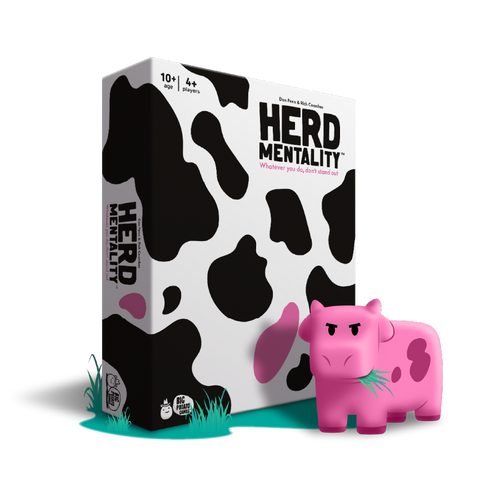
    Herd Mentality TV Game

    Think the same to win the game in Herd Mentality! Read a question, match your answer to the rest of the herd to win.

  • What Color is it? TV Game

    What Color is it? TV Game

    A trivia game about the color of things. what color the five Olympic Rings are? Or the colors of M&M's?

How it works

Instant game nights in 3 simple steps

  1. Cow themed icon that says "Herd Mentality"

    Purchase
    a game

    Pick a Big Potato title from the shop. Each game comes with a unique code.

    Shop
  2. Icon that says "BIGPO2!"

    Redeem
    your code

    Create a free account and enter your code at bigpotato.tv/redeem. Your game unlocks instantly.

    No subscription. Buy once, play forever.

    Redeem
  3. Two potato icons with phones in hand

    Host your
    party

    Open the game on your TV, Laptop or tablet, share the code, and everyone joins on their phone. No app needed.

    Host

Read the full how to guide →

Customer Reviews
4.8
Rated 4.8 out of 5 stars
Based on 10 reviews
100%would recommend this product
10 reviews
  • C
    Claire
    Verified Buyer
    I recommend this product
    Rated 5 out of 5 stars
    2 weeks ago
    Love it overall

    The only issues I have is that I wish the timers could be adjusted. The timer in What Color Is It? Is way too long between rounds.

    Also, I really wish I could add my app expansion packs into the digital game version. We have two houses and keep our physical versions at our vacation house where we gather often with family and play games as it’s just my husband and I at home. But we’d like to play these expansions in the digital version as well. Especially for Herd Mentality which I don’t own in a physical version and would love to play them in our digital edition.

  • OS
    Olivia S.
    I recommend this product
    Rated 5 out of 5 stars
    2 years ago
    5 Stars

    🤙

  • TR
    Tdog r.
    I recommend this product
    Rated 5 out of 5 stars
    3 years ago
    5 Stars

    This is my new favourite game in the world 🌏 it would blow the other ones into ablivieons

  • IM
    india m.
    I recommend this product
    Rated 5 out of 5 stars
    3 years ago
    5 Stars

    plssss release more games to add on :) we love it

  • JE
    Julie E.
    I recommend this product
    Rated 5 out of 5 stars
    4 years ago
    5 Stars

    We love this , so much fun!! Please Please Please update it as we are just getting repeat questions and drawings (scrawl) we also have the physical games of scrawl and Herd Mentality do we know there are plenty more questions/drawings that can go on. We don’t play anymore as we are getting repeat after repeat. Different games would be good, we would pay for extra to ‘add on ‘

Got more questions?

FREQUENTLY ASKED QUESTIONS

Your favourite Big Potato party games, made for your TV or laptop. Everyone uses their phone to play. These are digital games. We email you a code to unlock them, so there's no box arriving in the post.

No subscription. Buy once, play forever.

• A laptop or computer to show the game.
• A phone or tablet for each player, including the host.
• An internet connection.
Want it on your TV? Connect your laptop or computer to the TV with an HDMI cable. No console or app needed.

First, set up the main screen:
1. Open bigpotato.tv on your laptop or computer. Want it on your TV? Connect your computer to the TV with an HDMI cable.
2. Log in or create a free account, then click Redeem. If you used the same email address to buy your games, they'll be listed there, ready to add to your account. Using a different email? Enter the game code from your purchase email instead.
3. Click Host.
Then, get everyone to join:
1. Everyone needs their own phone or tablet, including the host.
2. Scan the QR code on the main screen, or visit bigpotato.tv/join and enter the room code shown on screen.
3. Once everyone's in, tap My Games Library, choose your game and get playing!
Your game code is 6 digits and unlocks your purchase. The room code is 4 digits and lets players join. They're two different codes!

For the most reliable setup, host the game on a laptop or computer and connect it to your TV with an HDMI cable.
Check your internet connection and make sure players are using the room code shown on the main screen, rather than the game code from your email.
Remember, the host needs their own phone or tablet to join too. You can't use the main screen as your controller.
Still stuck? Get in touch (https://bigpotato.tv/get-in-touch/) and tell us what's happening and which devices you're using.

Yes! No subscription. Buy once, play forever. Redeem your game code once, then log in to the same account whenever you fancy playing again. Your games will be waiting in My Games Library.

Your game code should arrive by email shortly after you buy. Check your spam, junk and promotions folders, plus any other folders your email app sorts messages into, and search for no-reply@bigpotato.tv.
If you log in at bigpotato.tv with the same email address you bought your games with, they'll automatically be available to redeem on your account at https://bigpotato.tv/account/?tab=mygames.
Still can't find it? Get in touch (https://bigpotato.tv/get-in-touch/) with your order number and the email address you used at checkout.

Log in at bigpotato.tv. If you use the same email address you bought your games with, they'll automatically be available to redeem on your account at https://bigpotato.tv/account/?tab=mygames.
Using a different email? Click Redeem and enter the game code from your purchase email. You only need to do this once.
Click Host, then join on your phone to open My Games Library.

If you have a code from a physical copy of the game that isn’t working, get in touch and we’ll help you get playing. Please include your code and a photo of the game it came with.
If your code arrived by email, log in at bigpotato.tv, click Redeem and enter your code. Still not working? Contact us with your code and order number.

If you previously bought your Big Screen Games through Game City, please get in touch with your proof of purchase, such as your order confirmation email or receipt, and we’ll help you access your games.